How to Apply for a DUNS Number: Step-by-Step Guide for Apple and Google Play Developer Accounts (2025-2026)
Key Takeaways
- A DUNS number is free to request from Dun & Bradstreet — never pay for the basic application
- A single-member LLC is NOT a sole proprietorship — always select LLC on the DUNS application
- Apple Developer Program requires DUNS for organization enrollment; Google Play requires it for organization accounts
- Use your actual business address (even if overseas), not your registered agent address
- Processing takes 5-30 business days; Apple's lookup tool can be faster
- Your DUNS number and EIN serve completely different purposes — you need both
What Is a DUNS Number and Why Do You Need One?
A D-U-N-S Number (Data Universal Numbering System) is a unique nine-digit identifier assigned by Dun & Bradstreet (D&B) to every business entity in their database. It is used worldwide to identify and track businesses for credit reporting, procurement, and verification purposes.
If you are forming a U.S. LLC — especially as a foreign owner — you will likely need a DUNS number for several critical purposes. Apple requires a DUNS number for any organization enrolling in the Apple Developer Program. Google Play Console now requires a DUNS number for organization developer accounts. Government contracts and grants also require a DUNS number. Many B2B relationships and credit applications use the DUNS number to verify your business identity.
The good news: requesting a DUNS number is completely free. There is no cost to apply for and receive your number from Dun & Bradstreet.
Before You Apply: Information You Need to Prepare
Before starting your DUNS application, gather the following information about your business:
1. Full legal business name — exactly as registered with your state (e.g., "Your Company Name, LLC"). Include the comma and "LLC" suffix if that is how it appears on your Articles of Organization.
2. Physical business address — this is the principal place of business. For foreign-owned LLCs, this can be your overseas address. Include suite or unit numbers if applicable.
3. Business phone number — a working phone number where D&B can reach you for verification.
4. Legal structure — whether your business is an LLC, corporation, sole proprietorship, partnership, etc. For a single-member LLC, you are NOT a sole proprietorship — select LLC.
5. Name of the business owner, president, or principal — the individual who controls the entity.
6. Date of formation — when your LLC was officially formed with the state.
7. Number of employees — total headcount including full-time and part-time. If you are a solo founder, this is 1.
8. Primary industry — a general description of what your business does (e.g., software development, consulting, e-commerce).
Step 1: Check if You Already Have a DUNS Number
Before applying for a new number, check whether your business already has one. Many LLC formation services (Stripe Atlas, Firstbase, doola) may have triggered a D&B record during the formation process.
You can check using Apple's D-U-N-S Number Lookup Tool if you are enrolling in the Apple Developer Program. Apple provides a dedicated lookup at developer.apple.com that searches the D&B database on your behalf. Alternatively, visit the Dun & Bradstreet website directly and use their free business lookup tool.
If your business already has a DUNS number, you can skip the application process and proceed directly to your Apple or Google developer enrollment.
Step 2: Start Your DUNS Application Online
There are two main paths to apply:
Path A — Through Apple's D-U-N-S Lookup Tool: If you need the DUNS number for the Apple Developer Program, Apple provides a streamlined process. When your business is not found in the lookup, Apple gives you the option to submit your information directly to D&B for a free DUNS number. This is often the fastest route.
Path B — Directly through Dun & Bradstreet: Visit the D&B website and request a free DUNS number. You will fill out an online form with your business details. D&B also accepts applications by phone at 1-(866) 705-5711.
For Google Play developer accounts, you apply directly through D&B since Google does not offer an embedded lookup tool like Apple does.
Step 3: Fill Out the Application Questions
The application is straightforward — typically 5 questions. Here is what to expect and how to answer each one:
Question 1 — Full legal business name: Enter your business name exactly as it appears on your formation documents, including punctuation. For example, "RippaX Labs, LLC" — note the comma before LLC.
Question 2 — Are you a sole proprietorship? If you formed an LLC, the answer is NO. A single-member LLC is not the same as a sole proprietorship. Even though the IRS treats a single-member LLC as a "disregarded entity" for tax purposes, it is still a separate legal structure from a sole proprietorship. An LLC provides liability protection that a sole proprietorship does not.
Question 3 — Physical business address: Enter your principal place of business. For foreign-owned LLCs, this will typically be your overseas address. Include your full address with city, state/province, postal code, and country. Do not use your registered agent address here — D&B wants to know where you actually operate.
Question 4 — Business details: Provide your industry, formation date, number of employees, and any other requested details.
Question 5 — Contact information and confirmation: Review your submission and confirm everything is accurate.
Step 4: The Verification Process
After submitting your application, D&B may conduct a verification inspection. This is a standard process — do not be alarmed.
D&B uses a service called TruePicVision for remote inspections. You may receive an email with a link to web.truepicvision.com where you answer verification questions about your business. The questions confirm details you already provided: your legal name, address, and business structure.
A D&B representative may also contact you by phone to verify your information. Answer their questions honestly and have your formation documents handy for reference.
Once verification is complete, you will see a "Success" confirmation indicating your inspection has been submitted to Dun & Bradstreet.
Step 5: Receive Your DUNS Number
Processing times vary depending on your application method:
Free application: Allow up to 30 business days for processing. In practice, many applications are processed much faster — often within 5 to 10 business days.
Apple Developer path: After requesting through Apple's lookup tool, allow up to 5 business days to receive your DUNS number from D&B. Then allow an additional 2 business days for Apple to receive and sync your information from D&B before you can enroll.
Expedited processing: D&B offers paid expedited service (approximately $229) to receive your number within 8 business days. This is rarely necessary unless you have an urgent deadline.
You will receive your DUNS number via email from Dun & Bradstreet. Save this number — you will need it for developer account enrollment and potentially for future business purposes.
Using Your DUNS Number for Apple Developer Program
Once you have your DUNS number, you can enroll in the Apple Developer Program as an organization:
1. Go to developer.apple.com and sign in with your Apple ID. 2. Start the enrollment process and select "Organization" as your entity type. 3. Enter your DUNS number when prompted. 4. Apple will verify your organization details against D&B's records. The legal entity name, address, and other details must match what D&B has on file. 5. If there is a mismatch, you will need to update your information with D&B first and wait for it to propagate (typically 2 business days).
Important: Your organization must be recognized as a legal entity (corporation, LLC, or limited partnership) to enroll. Sole proprietorships and DBAs typically do not qualify for organization enrollment — they must enroll as individuals.
The Apple Developer Program costs $99 per year for organizations.
Using Your DUNS Number for Google Play Console
Google Play Console now requires a DUNS number for organization developer accounts as part of their trust and transparency initiative:
1. Create or log into your Google Play Console account. 2. During account setup or verification, you will be prompted to provide your DUNS number. 3. Google may automatically verify your organization using the DUNS number, which can speed up the verification process significantly. 4. If automatic verification is not possible, Google may request additional documentation.
Note: Personal Google Play developer accounts do not require a DUNS number — this requirement only applies to organization accounts.
The Google Play developer registration fee is a one-time $25 payment.
Common Mistakes to Avoid
Mistake 1 — Selecting "sole proprietorship" when you have an LLC: Your single-member LLC is an LLC, not a sole proprietorship. These are different legal structures. Always select LLC or limited liability company.
Mistake 2 — Using your registered agent address instead of your actual business address: D&B wants your principal place of business, not your registered agent's address. For foreign-owned LLCs, your overseas address is typically correct.
Mistake 3 — Not matching names exactly: Your business name on the DUNS application must match your formation documents exactly, including punctuation (commas, periods) and the LLC suffix.
Mistake 4 — Paying for a free service: The basic DUNS number is always free. Do not pay for it unless you specifically need expedited processing. Be cautious of third-party services that charge fees to "help" you get a DUNS number.
Mistake 5 — Applying multiple times: If you have already submitted an application, do not submit another one. Duplicate applications can cause delays. Contact D&B directly if you have not received your number within the expected timeframe.
DUNS Number vs EIN: What Is the Difference?
A DUNS number and an EIN (Employer Identification Number) serve completely different purposes and are issued by different organizations:
EIN: Issued by the IRS. Used for tax filing, opening bank accounts, and hiring employees. Required for all U.S. LLCs. Applied for using Form SS-4.
DUNS Number: Issued by Dun & Bradstreet (a private company). Used for business credit reporting, developer account enrollment, and government procurement. Not required for tax filing.
You need both if you plan to file taxes (EIN) and enroll in Apple or Google developer programs (DUNS). They are independent — having one does not give you the other.
File Your LLC Taxes Now
Generate your IRS Form 5472 + pro forma Form 1120 in 15 minutes. Every field linked to official IRS instructions. $49, no CPA needed.
More on Business Entity Types
 3:38
3:38LLC Taxes Explained: How LLCs Are Taxed by the IRS (Complete Guide)
 4:45
4:45Partnership Taxation Explained: How the IRS Taxes Partnerships
 8:10
8:10C Corp vs S Corp Tax Basics: Corporation Taxation Explained
 5:35
5:35Single Member LLC Taxes: Everything You Need to Know (2025)
 8:39
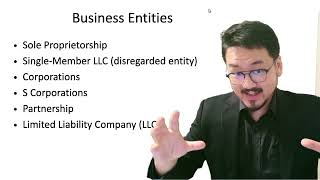
8:39Sole Proprietorship Explained: Taxes, Pros and Cons You Must Know
 5:56
5:56